
SWIFT IMAGE CONVERTER
Swift Image Converter
Fast & private image conversion in your browser
Drag and drop images here
or click to browse
Results (0)
What Is Swift Image Converter
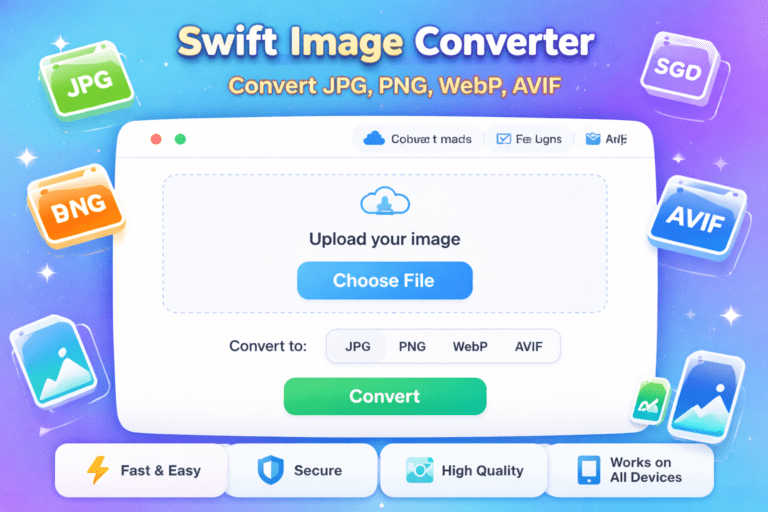
Swift Image Converter is a fast and easy tool designed to convert images between popular formats like JPG, PNG, WebP, and AVIF without any hassle. If you work with images for websites, social media, or digital projects, you already know how important the right image format can be for quality and performance.
Instead of using heavy software or juggling multiple tools, Swift Image Converter lets you upload an image, choose the format you need, and download the converted file in seconds. It is built to be simple, reliable, and friendly for both beginners and experienced users.
In this article, we will explain how Swift Image Converter works, why image conversion matters, and when this tool can be most useful.
Why Image Format Conversion Matters
Swift Image Converter is an online image conversion app that allows users to switch images from one format to another effortlessly. It supports:
Different image formats serve different purposes. Using the right one can improve loading speed, image clarity, and overall user experience.
Here is a quick overview:
JPG: Best for photographs with smaller file sizes.
PNG: Ideal for images that need transparency and sharp edges.
WebP: A modern format that offers good quality with smaller file sizes.
AVIF: A next-generation format known for excellent compression and high quality.
Swift Image Converter helps you switch between these formats easily, so you always use the best option for your needs.
How Swift Image Converter Works
The process is designed to be straightforward:
Upload your image in JPG, PNG, WebP, or AVIF format.
Select the output format you want.
Let the tool handle the conversion automatically.
Download your converted image instantly.
There is no complicated setup or learning curve, which makes Swift Image Converter suitable for everyday use.
Key Features of Swift Image Converter
As the name suggests, Swift Image Converter focuses on speed. Images are processed quickly, saving time during busy workflows.
2. Multiple Format Support
You can convert between JPG, PNG, WebP, and AVIF, covering both traditional and modern image needs.
3. Quality Preservation
The tool aims to keep image clarity and detail intact while optimizing file size.
4. Simple and Clean Interface
The layout is easy to understand, even for users who are not familiar with image editing tools.
5. Web-Friendly Output
Converted images are suitable for websites, blogs, online stores, and social media platforms.
Common Use Cases
Swift Image Converter is helpful in many situations, such as:
Optimizing images for faster website loading.
Converting photos for social media uploads.
Preparing images for blogs and articles.
Creating web-friendly images for e-commerce listings.
Testing different formats for performance and quality balance.
Professionals in web development, marketing, and content creation often rely on image conversion as part of their daily workflow.
Reliability and Best Practices
From an EAT perspective, image conversion is a standard practice supported by web performance guidelines and widely used across the industry. Using modern formats like WebP and AVIF is recommended by many web performance experts to improve speed without sacrificing quality.
For best results:
Start with high-quality source images.
Choose the format that fits your use case.
Test images on different devices and browsers.
Swift Image Converter helps make this process smooth and accessible.
Conclusion
Swift Image Converter is a practical solution for anyone who needs quick and reliable image format conversion. It supports popular formats, delivers fast results, and keeps things simple without compromising quality.
If you regularly work with images and want an easy way to convert JPG, PNG, WebP, or AVIF files, Swift Image Converter is worth trying. Upload an image, convert it in a flash, and keep your projects running smoothly.
Frequently Asked Questions
1. What is Swift Image Converter?
Swift Image Converter is an online tool that helps you convert images quickly between JPG, PNG, WebP, and AVIF formats without losing quality.
2. Is Swift Image Converter free to use?
Yes, it can be used for free for basic image conversions. Some advanced features may depend on the platform or usage limits.
3. Which image formats does Swift Image Converter support?
It supports JPG, PNG, WebP, and AVIF formats for both input and output.
4. Will converting images reduce quality?
The tool is designed to maintain image clarity while optimizing file size. Quality mainly depends on the original image and chosen format.
5. Can I use Swift Image Converter for website images?
Yes, it is ideal for website use and helps improve page loading speed with modern image formats.
6. Is it safe to upload images to Swift Image Converter?
Trusted image converters process files securely and do not store images longer than necessary
7. Can I use converted images for commercial purposes?
Yes, as long as you own the rights to the original image, converted files can be used for commercial projects.