
PDF CONVERTER + ENABLES YOU TO CONVERT TO ALMOST ANY IMAGE AND DOCUMENT TO PDF ONLINE FREE
Upload PDF Document
Drag & drop your file here or click to browse
A reliable PDF CONVERTER has become an essential tool in today’s digital world. Whether you are working with images, Word files, Excel sheets, or presentations, converting them into PDF format helps maintain consistency, quality, and professionalism. PDFs are widely accepted across industries because they preserve layout, fonts, and design, no matter which device or platform is used.
From students submitting assignments to businesses sharing contracts, the need to convert files into PDF is growing every day. A good online PDF CONVERTER allows you to quickly transform almost any file into a secure and shareable document without installing software. The process is simple, fast, and accessible from anywhere, making it a practical solution for everyday use.
In this guide, you’ll learn how PDF converters work, their key features, benefits, and how to choose the right tool for your needs.
Why PDF CONVERTER Is Essential for Everyday Use
A PDF CONVERTER is one of the most useful tools in today’s digital world. Almost every type of file—whether it is a Word document, Excel sheet, PowerPoint presentation, or even an image—can be converted into a PDF for better sharing and storage. The main reason people prefer PDFs is that they keep the formatting exactly the same on every device. No matter where you open the file, it looks clean, structured, and professional.
For students, a PDF converter helps in submitting assignments and organising study materials. Instead of sending multiple file types, everything can be converted into a single, standard format. Professionals also rely on PDFs for reports, presentations, and official documents because they look more polished and are easy to share with clients or teams.
Another major advantage of using a PDF CONVERTER is convenience. Earlier, converting files required heavy software installations that consumed storage and slowed down systems. Now, online tools make the process simple. You just upload your file, select the format, and convert it within seconds. There is no need for technical knowledge, and everything works directly in your browser.
A good PDF converter also supports multiple file formats. You can convert images like JPG or PNG into PDF, or turn documents like DOCX and XLSX into a single file. This flexibility makes it useful for different tasks, whether personal or professional. It also helps when you need to combine various file types into one organised document.
Security is another important reason people use PDFs. Many files can be protected with passwords or restricted from editing. A reliable PDF CONVERTER ensures that your data remains safe during the conversion process. Most trusted tools use encryption and delete files automatically after a short time, which adds an extra layer of protection.
Accessibility is also a big benefit. You can use a PDF converter from any device—laptop, mobile, or tablet. This means you can work from anywhere without being dependent on a single system. Whether you are at home, in the office, or travelling, your documents are always within reach.
Features, Benefits & How to Choose the Best PDF CONVERTER
When selecting a PDF CONVERTER, it is important to choose one that offers the right features. A good tool should be easy to use, fast, and reliable. The interface should be simple so that even beginners can convert files without confusion. Drag-and-drop upload options make the process even smoother and save time.
Speed is one of the most important features. A fast converter processes files quickly, even when dealing with large documents. This is especially helpful when you have multiple files to convert in a short time. Many tools also support batch conversion, allowing you to convert several files at once instead of doing it one by one.
Quality should never be compromised during conversion. A reliable PDF CONVERTER keeps the original formatting, fonts, and images intact. This is important for professional documents where presentation matters. You don’t want your file to lose its structure or clarity after conversion.
Another useful feature is file compatibility. A good converter supports a wide range of formats, including Word, Excel, PowerPoint, and images. Some tools also allow reverse conversion, meaning you can convert PDFs back into editable formats. This adds more flexibility to your workflow.
Cost is also an important factor. Many online PDF converters offer free services that are enough for everyday use. You don’t need to spend money unless you require advanced features like larger file sizes or faster processing. This makes PDF converters a cost-effective solution for students, freelancers, and small businesses.
User reviews can help you choose the right tool. Feedback from other users gives you a clear idea about performance, speed, and reliability. Trying a few tools yourself is also a good way to find what works best for you.
In conclusion, a PDF CONVERTER makes document management simple and efficient. It allows you to convert almost any file into a clean, professional PDF within seconds. From saving time to improving organisation, the benefits are clear.
If you regularly work with different file formats, using the right PDF CONVERTER can improve your productivity and make your workflow smoother. It’s a simple tool, but it plays a big role in making digital tasks easier and more organised every day.
What Is a PDF CONVERTER and How Does It Work?
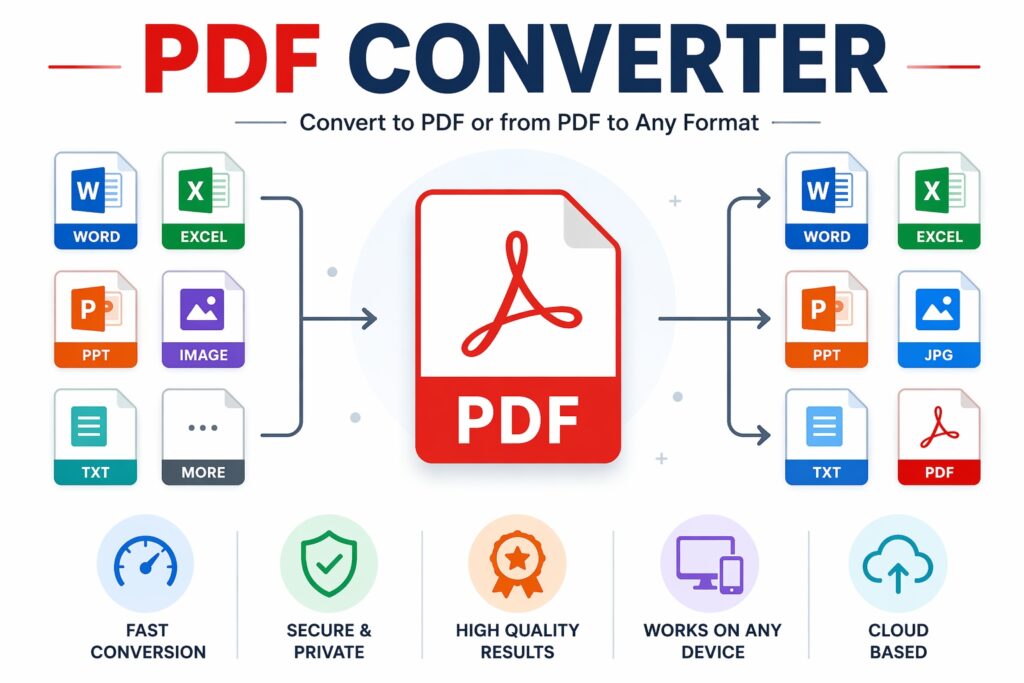
A PDF CONVERTER is an online or offline tool that changes files from one format into PDF. It can also convert PDFs into other formats like Word, Excel, or images, depending on the tool.
How It Works
The conversion process is straightforward:
- Upload Your File – Choose a document or image from your device
- Select Output Format – Convert to PDF or from PDF to another format
- Process Conversion – The tool transforms the file while maintaining layout
- Download Result – Get your converted file instantly
Modern tools use advanced processing to ensure that text, images, and formatting remain intact.
Common File Types Supported
- Word (DOC, DOCX)
- Excel (XLS, XLSX)
- PowerPoint (PPT, PPTX)
- Images (JPG, PNG, TIFF)
- Text files and more
This flexibility makes PDF converters highly useful for both personal and professional tasks.
Key Features of a Good PDF CONVERTER
Not all tools provide the same quality. A reliable PDF CONVERTER should include features that make your work easier and faster.
Fast Conversion Speed
Quick processing ensures you don’t waste time waiting for files to convert.
High-Quality Output
Maintains original formatting, fonts, and images without distortion.
Multiple Format Support
Allows conversion between various file types.
Batch Conversion
Convert multiple files at once to save time.
Drag-and-Drop Upload
Simple interface for easy file selection.
Cloud-Based Access
Use the tool from any device without installation.
Security and Privacy
Files are encrypted and deleted automatically after processing.
These features help ensure a smooth and efficient experience.
Benefits of Using an Online PDF CONVERTER
Using an online PDF CONVERTER offers several advantages that improve productivity and convenience.
Easy Accessibility
Access your files from anywhere using any device.
No Installation Required
Work directly in your browser without downloading software.
Time-Saving
Convert files in seconds instead of manually recreating documents.
Professional Output
Maintain clean formatting for business or academic use.
Cost-Effective
Many tools offer free services with essential features.
Compatibility
PDFs work on all devices and operating systems.
Secure File Handling
Trusted platforms ensure your data remains protected.
These benefits make PDF converters a valuable tool for daily tasks.
How to Choose the Best PDF CONVERTER
Choosing the right PDF CONVERTER can make a big difference in your workflow. Here are some important factors to consider:
Understand Your Needs
Decide whether you need basic conversion or advanced features.
Check Supported Formats
Ensure the tool supports the file types you use most.
Look for Speed and Reliability
A fast and stable tool saves time and avoids frustration.
Ensure Data Security
Choose a platform with encryption and privacy policies.
Test User Interface
A simple and clean design makes the tool easier to use.
Compare Free vs Paid Features
Free versions are often enough, but premium tools offer advanced options.
Read User Reviews
Feedback from users helps you find a trustworthy tool.
Taking these steps helps you select the best option for your needs.
FAQs About PDF CONVERTER
Q1: What is a PDF CONVERTER used for?
It is used to convert files like Word, Excel, or images into PDF and vice versa.
Q2: Is it safe to use an online PDF converter?
Yes, most trusted tools use encryption and delete files after processing.
Q3: Can I convert images to PDF?
Yes, you can easily convert JPG, PNG, and other image formats into PDF.
Q4: Do I need to install software?
No, online PDF converters work directly in your browser.
Q5: Will the formatting change after conversion?
A good tool maintains the original formatting and layout.
Q6: Are free PDF converters reliable?
Many free tools are reliable for basic tasks, but advanced features may require payment.
Conclusion
A powerful PDF CONVERTER simplifies the way you manage digital documents. It allows you to convert almost any file into a professional and shareable PDF within seconds. With features like fast processing, high-quality output, and secure handling, these tools are designed to make your work easier.
Online PDF converters are especially useful because they are accessible, cost-effective, and easy to use. Whether you are a student, professional, or business owner, having a reliable converter helps you stay organised and efficient.
If you frequently deal with different file formats, using a trusted PDF CONVERTER is a smart choice. It saves time, improves productivity, and ensures your documents always look professional.