
MERGE PDF - COMBINE PDF FILES ONLINE FREE
Choose or drop PDFs here
Select multiple files to combine them into one.
Selected Files (0)
In today’s fast-moving digital environment, managing multiple documents efficiently is essential. One of the most common tasks people face is combining several PDF files into a single document. This is where a reliable MERGE PDF tool becomes incredibly useful. Whether you are a student organising notes, a professional compiling reports, or a business owner managing invoices, merging PDFs helps keep everything structured and easy to access.
PDF files are widely used because they maintain consistent formatting across all devices. However, handling multiple PDFs separately can be time-consuming and confusing. By using an online MERGE PDF tool, you can quickly combine different files into one organised document without affecting layout or quality. The best part is that many of these tools are free and work directly from your browser, eliminating the need for software installation.
Online PDF merging tools are designed to be simple and user-friendly. You just upload your files, arrange them in the desired order, and merge them with a single click. This convenience saves both time and effort, especially when dealing with large volumes of documents. In this guide, you will learn everything about merging PDFs, including features, benefits, and how to choose the right tool.
Why MERGE PDF Is Important for Daily Document Use
In today’s digital workflow, managing multiple files can quickly become confusing, especially when dealing with PDFs. This is where a MERGE PDF tool becomes extremely useful. Instead of handling several separate documents, you can combine them into one clean, organised file. Whether you are a student compiling notes, a professional preparing reports, or a business owner managing invoices, merging PDFs helps keep everything in one place.
PDF files are widely trusted because they preserve formatting across all devices. No matter where you open them, the layout, fonts, and design stay exactly the same. However, when you have multiple PDFs for a single task, things can get messy. Sending several attachments, searching through different files, or managing scattered documents wastes time. By using a MERGE PDF solution, you simplify everything into a single document that is easy to read, share, and store.
One of the biggest advantages of merging PDFs is better organisation. For example, if you have multiple chapters, reports, or scanned pages, combining them creates a structured document. This is especially helpful for presentations, client submissions, or academic projects where everything needs to be in order. It also gives a more professional look when you share one complete file instead of many separate ones.
Another reason people prefer online MERGE PDF tools is convenience. You don’t need to download heavy software or worry about system compatibility. Everything works directly in your browser. You simply upload your files, arrange them in the correct order, and merge them within seconds. This saves time and keeps your device storage free.
Accessibility is also a major benefit. You can merge files anytime, anywhere—whether you are using a laptop, tablet, or smartphone. This flexibility is very useful in today’s fast-paced environment where work often happens on the go. You are not limited to a single device or location.
Security is another important factor. Most trusted tools ensure that your files are protected during the merging process. Many platforms use encryption and automatically delete files after a short time. This means your documents remain safe, even when working online.
Features, Benefits & How to Choose the Best MERGE PDF Tool
When selecting a MERGE PDF tool, it’s important to focus on features that improve your workflow. A good tool should offer a simple and clean interface so that anyone can use it without confusion. You should be able to upload files easily using drag-and-drop, arrange them in the correct order, and merge them quickly.
Speed is another key feature. A reliable tool processes files fast, even when dealing with large documents. This is important when you are working under time pressure. You don’t want to wait minutes just to combine a few files.
Another useful feature is file arrangement. Before merging, you should be able to reorder your PDFs or even adjust individual pages. This ensures your final document is properly structured. Some tools also allow you to preview files before merging, which helps avoid mistakes.
Quality should never be compromised. A good MERGE PDF tool keeps the original formatting, images, and text exactly the same. There should be no loss in resolution or layout after merging. This is especially important for professional documents where presentation matters.
Additional features can also make a big difference. Some tools offer options like splitting PDFs, compressing files, or converting them into other formats. While these are not always necessary, they can be helpful if you frequently work with different types of documents.
Cost is another factor to consider. Many online tools provide free merging services, which are enough for most users. You don’t need to pay unless you require advanced features. This makes PDF merging accessible for students, freelancers, and small businesses.
User reviews can also guide your decision. Feedback from other users helps you understand how reliable and efficient a tool is. Trying a few options yourself is always a good idea, as it allows you to find the one that best fits your needs.
In conclusion, using a MERGE PDF tool is one of the easiest ways to manage documents efficiently. It saves time, improves organisation, and makes sharing files much simpler. Instead of dealing with multiple PDFs, you can create one clear and professional document in just a few clicks.
If you regularly work with PDF files, choosing the right MERGE PDF tool can make a big difference in your productivity. It simplifies your workflow, keeps your documents organised, and helps you work smarter every day.
What Is MERGE PDF and How Does It Work?
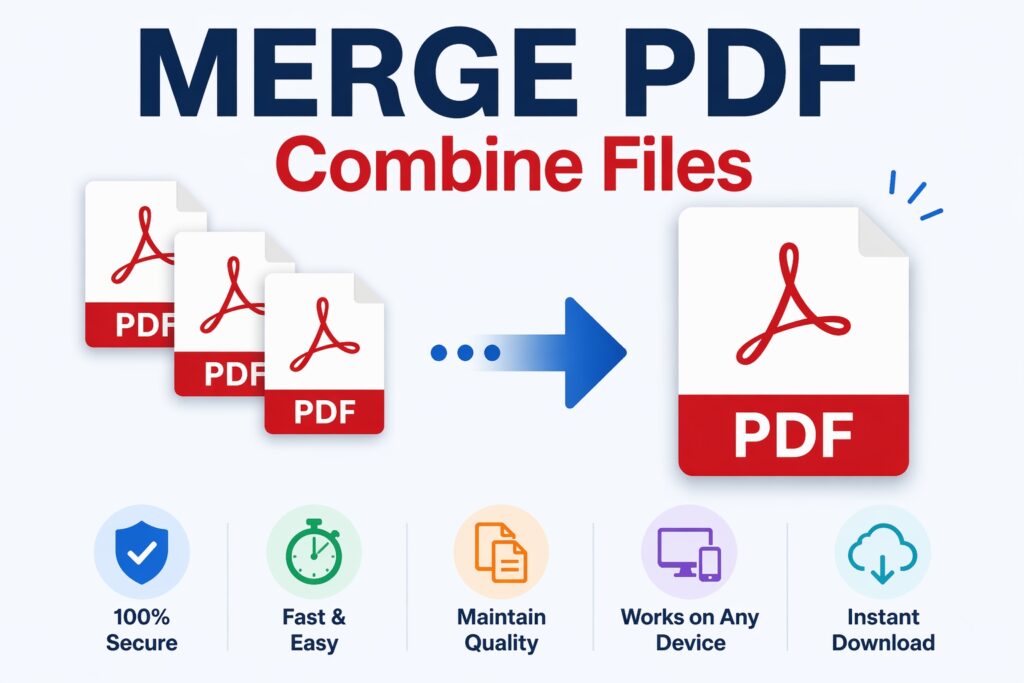
A MERGE PDF tool allows you to combine two or more PDF files into a single document. Instead of sending or storing multiple files, you can create one organised file that is easier to manage and share.
How It Works
The process is simple and usually involves three steps:
- Upload Files – Select the PDF files you want to merge
- Arrange Order – Drag and drop files to set the correct sequence
- Merge and Download – Combine files and download the final document
The merged file retains the original formatting, images, fonts, and layout, ensuring that your content looks professional and consistent.
Key Features of a Good MERGE PDF Tool
Not all tools offer the same quality or features. A reliable MERGE PDF platform should include the following:
Easy File Upload
Supports multiple file uploads with a simple drag-and-drop interface.
Fast Processing
Quick merging without long waiting times, even for large files.
File Arrangement Options
Allows you to reorder pages or documents before merging.
High-Quality Output
Maintains original formatting, images, and resolution.
Cloud-Based Access
Works directly in your browser without installation.
Security and Privacy
Ensures files are encrypted and automatically deleted after processing.
Multi-Device Compatibility
Accessible on mobile, tablet, and desktop devices.
These features ensure a smooth and efficient experience for users.
Benefits of Using an Online MERGE PDF Tool
Using an online MERGE PDF tool offers several advantages that make document management easier:
Saves Time
Instead of handling multiple files, you can combine them into one in seconds.
Improves Organisation
Keeps related documents together, making them easier to manage and share.
No Software Needed
Works directly in your browser, saving storage space.
Easy Sharing
Send one file instead of multiple attachments.
Cost-Effective
Many tools are completely free for basic use.
Maintains File Quality
No loss of formatting or content during merging.
Accessible Anywhere
Use it from any device with an internet connection.
These benefits make PDF merging an essential tool for everyday tasks.
How to Choose the Best MERGE PDF Tool
With so many options available, selecting the right MERGE PDF tool is important. Here are some key factors to consider:
User-Friendly Interface
Choose a tool that is simple and easy to navigate.
Speed and Performance
Look for fast processing, especially for large files.
Security Measures
Ensure your files are protected and not stored permanently.
File Size Limits
Check if the tool allows large file uploads.
Additional Features
Some tools offer extra options like splitting, compressing, or editing PDFs.
Reviews and Ratings
User feedback helps you understand reliability and performance.
Testing a few tools can help you find the best one for your needs.
FAQs About MERGE PDF
Q1: Is it safe to merge PDF files online?
Yes, most trusted tools use encryption and automatically delete your files after processing. Always check the privacy policy.
Q2: Can I merge PDF files for free?
Many online tools offer free merging services with basic features.
Q3: Will merging affect file quality?
No, a good MERGE PDF tool maintains the original quality and formatting.
Q4: Can I rearrange pages before merging?
Yes, most tools allow you to reorder files or pages before combining them.
Q5: Do I need to install software?
No, online tools work directly in your browser.
Q6: Can I use it on mobile devices?
Yes, most PDF merging tools are mobile-friendly and work on all devices.
Conclusion
A reliable MERGE PDF tool simplifies the way you handle documents. Instead of managing multiple files separately, you can combine them into one organised document in just a few clicks. This not only saves time but also improves efficiency and productivity.
Online PDF merging tools are especially useful because they are easy to use, accessible from anywhere, and often free. Whether you are working on personal files, academic projects, or professional documents, merging PDFs helps you stay organised and focused.
If you regularly deal with multiple PDF files, using a trusted MERGE PDF tool is a smart and practical choice. It streamlines your workflow and makes document management simple, fast, and hassle-free.