AI Image Background Remover in 2026
In the fast-paced digital world of 2026, visual content is no longer just “nice to have”—it is the primary language of the internet. Whether you are an entrepreneur launching a new product line on a global marketplace or a content creator building a personal brand on social media, the quality of your visuals speaks volumes. One of the most common yet historically difficult tasks in photo editing is isolation. Thankfully, the evolution of the image background remover has reached a point where what used to take hours of manual “pen tool” work in Photoshop now takes less than three seconds with a single click.
Using an AI-powered image background remover has become a standard workflow for professionals and hobbyists alike. The days of jagged edges and “halo” effects around hair are largely behind us. In this guide, we will explore how this technology works, why it has become so precise in 2026, and how you can leverage these tools to save time while producing studio-quality results.
How AI Has Transformed Background Removal
To appreciate where we are in 2026, we have to look at the “magic” happening under the hood. Traditional background removal relied on color contrast or manual masking. If your subject was wearing a white shirt against a light gray wall, the software would often get confused.
1. Neural Networks and Semantic Segmentation
Modern tools use Convolutional Neural Networks (CNNs). In simple terms, the AI doesn’t just look at pixels; it understands the context of the image. It recognizes that a “person” is a distinct entity from a “tree” or a “brick wall.” This process, known as semantic segmentation, allows the software to identify exactly where the subject ends and the background begins, even in low-contrast environments.
2. Edge Detection and Alpha Matting
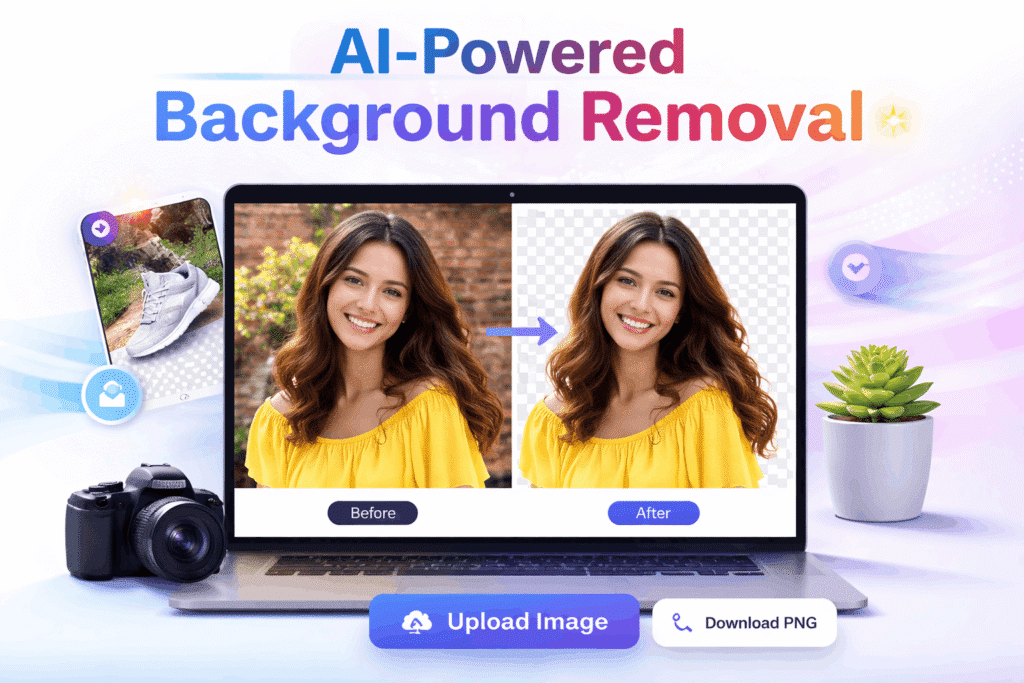
The biggest challenge for any image background remover has always been “soft” edges—think of frizzy hair, animal fur, or a sheer wedding veil. By 2026, AI models have been trained on billions of diverse datasets, enabling them to perform “alpha matting.” This technique calculates the transparency of every single pixel at the border, ensuring that individual strands of hair are preserved while the background is completely eliminated.
The Technical Edge of 2026 Models
In the current landscape, models have moved beyond simple subtraction. They now utilize “Edge Refinement Transformers” that predict pixel occupancy with 99.9% accuracy.
Why Transformers Matter for Fur and Hair
Transformers allow the AI to look at the whole image simultaneously rather than in small patches. This means the tool understands that a stray hair on the left belongs to the same person as the hair on the right, maintaining texture consistency.
A Note on Real-time Processing
Most modern image background remover tools now offer a “Live Preview” mode, where you can see the background disappear as you upload, thanks to edge computing and 5G speeds.
Key Benefits of Using an AI Image Background Remover in 2026
If you are still on the fence about switching from manual editing to AI automation, consider these three major benefits that are defining the industry this year:
Unmatched Speed and Efficiency
In 2026, time is the most valuable currency. A professional editor might take 15 minutes to perfectly mask a complex subject. An AI image background remover does it in roughly 2.5 seconds. If you are a small business owner with 100 product photos to upload, that is the difference between a few minutes of work and an entire lost afternoon.
Consistency Across Large Batches
Human editors, while talented, can be inconsistent when tired. AI maintains the same level of precision from the first image to the thousandth. This is crucial for e-commerce platforms like Amazon or eBay, where a consistent “clean white background” look is required to build customer trust.
Accessibility for Non-Designers
You no longer need a degree in graphic design to create professional assets. The user interfaces of 2026 tools are designed for simplicity. Most operate on a “drag-and-drop” basis, making high-end photo manipulation accessible to students, educators, and small business owners who might not have the budget for expensive software suites.
Top Features to Look for in 2026
Not all tools are created equal. When searching for the best image background remover, look for these cutting-edge features that have become standard this year:
Batch Processing: The ability to upload a folder of 50+ images and have them processed simultaneously.
High-Definition (HD) Exports: Ensure the tool doesn’t compress your file. You want the output resolution to match your original upload.
Shadow Preservation: Advanced AI now recognizes “natural shadows” cast by the subject and gives you the option to keep them, preventing the subject from looking like it’s “floating.”
Direct API Integration: For developers and large-scale enterprises, having an API that connects the background remover directly to a website or app is a massive time-saver.
Privacy-First Processing: In 2026, data security is paramount. Top-tier tools now use encrypted processing and automatically delete your photos from their servers within an hour.
Practical Use Cases: Who Benefits Most?
The versatility of a modern image background remover means it’s being used in ways we never imagined a decade ago.
E-Commerce and Product Photography
Research shows that 75% of online shoppers rely on product photos to make a purchase decision. By removing cluttered backgrounds, you put 100% of the focus on the product. Many AI tools in 2026 even allow you to instantly swap the background for a “lifestyle” scene—placing your coffee mug on a wooden table in a sunny kitchen with just a text prompt.
Personal Branding and Headshots
LinkedIn and professional portfolios require clean, distraction-free headshots. If you have a great photo of yourself but you’re in a crowded cafe, an image background remover can isolate you and place you against a professional studio gray or a modern office background in seconds.
Marketing and Social Media
Thumbnails for YouTube, Instagram stories, and digital ads often require “cutout” versions of people or objects to layer over bold text and graphics. AI tools allow creators to experiment with different layouts at the speed of thought.
How to Choose the Right Image Background Remover
With so many options available, from browser-based free tools to professional plugins, how do you choose? Here is a quick checklist to help you decide:
Quality of Edits: Does it handle hair well? Try a “stress test” image with a person with curly hair before committing to a paid plan.
Cost vs. Value: Some tools offer a “pay-as-you-go” credit system, while others offer unlimited monthly subscriptions. Choose what fits your volume.
Ease of Use: If you have to watch a 10-minute tutorial just to find the “upload” button, move on. The best tools in 2026 are intuitive.
Format Support: Does it support PNG (for transparency), WebP (for site speed), and HEIC (from iPhones)?
The Future: What’s Next After 2026?
As we look toward the late 2020s, background removal is evolving into “scene understanding.” We are moving beyond just “removing” to “generative replacement.” Imagine an image background remover that doesn’t just leave a hole but understands the lighting on your subject and automatically generates a new background that matches the shadows, reflections, and color temperature perfectly. We are already seeing the first stages of this “smart relighting” in high-end 2026 software.
Frequently Asked Questions (FAQs)
What is the best free image background remover in 2026?
Many browser-based tools offer free tiers, but look for those that provide at least 5 HD downloads per month without watermarks for the best value.
Can I remove backgrounds from videos using these tools?
Yes, by 2026, many top-tier image background remover platforms have expanded into “video rotoscoping,” allowing you to isolate moving subjects with similar ease.
Will using an AI background remover lower my image quality?
Not if you choose a tool that supports HD or 4K export. Always check if the tool maintains the original DPI (dots per inch) of your photo.
Is it legal to use AI-edited images for commercial use?
Generally, yes. However, you should always check the terms of service of the specific image background remover you use to ensure they grant you full commercial rights to the processed output.
How does the AI handle transparent objects like glass?
How does the AI handle transparent objects like glass?
Modern 2026 AI models use refractive analysis to preserve the look of glass and liquid while removing what is visible through them, which was a major hurdle in previous years.
Conclusion
Mastering your visual presence doesn’t have to be a technical nightmare. The modern image background remover is a testament to how far AI has come in making our lives easier and our work more professional. By automating the tedious task of masking and cutting out subjects, you free up your creative energy to focus on what really matters: your message, your product, and your brand.
Whether you are looking to clean up a few personal photos or revolutionize your business’s content pipeline, there has never been a better time to embrace AI-powered editing. High-quality imagery builds authority, attracts attention, and ultimately drives results.