
AI-POWERER BACKGROUND REMOVER ONLINE FREE
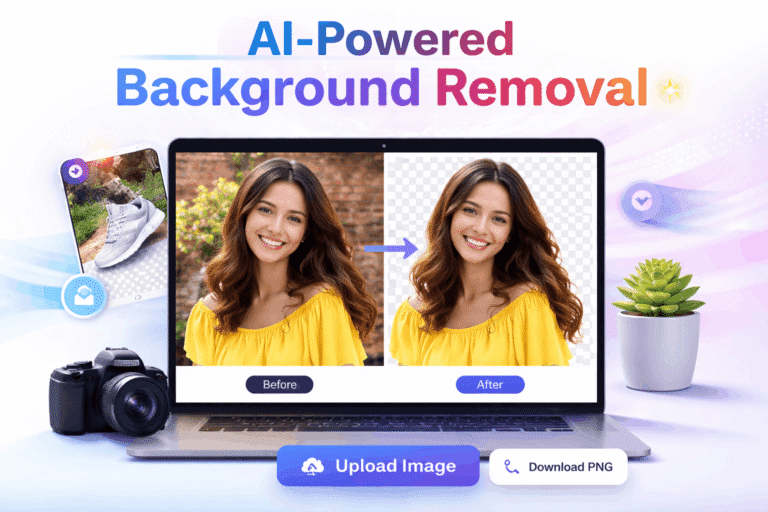
✨AI-Powered Background Removal
Upload any image to instantly remove the background with AI precision. Download as PNG with transparent background.
Drag & Drop Your Image
Supports JPG, PNG, WEBP up to 5MB
Processing Image...
AI is removing the background. This usually takes 3-5 seconds
Original Image
Background Removed
A Background Remover has become one of the most essential tools in today’s digital world, especially for anyone working with images on a daily basis. From beginners to professionals, everyone needs clean and visually appealing photos, and this is exactly where an AI-powered background remover makes a huge difference. Instead of spending hours using complex editing software, users can now remove unwanted backgrounds from images within seconds using smart AI technology. This not only saves time but also ensures highly accurate and professional-looking results without requiring any technical skills.
With the rise of social media platforms, eCommerce websites, and online branding, high-quality visuals are no longer optional, they are a necessity. Whether you are creating Instagram posts, designing YouTube thumbnails, uploading product images for your online store, or simply enhancing personal photos, a background remover helps you focus attention on the main subject by eliminating distractions. It allows users to create transparent backgrounds, replace them with custom designs, or use solid colours that match their branding style.
Another major advantage of using an AI-based background remover is its accessibility. Today, many tools are available online for free, which means you don’t need to invest in expensive software or hire professional designers. These tools work directly in your browser and are compatible with mobile, tablet, and desktop devices, making them convenient for users anywhere, anytime. Additionally, modern background remover tools come with advanced features such as edge refinement, shadow effects, background replacement, and high-resolution downloads, giving users full control over their final image.
In simple terms, a background remover is not just an editing tool, it is a productivity booster that helps individuals, marketers, content creators, and business owners create eye-catching visuals quickly and efficiently. As AI technology continues to evolve, these tools are becoming even smarter, faster, and more reliable, making them a must-have solution for anyone looking to improve their image quality and stand out in a competitive digital space.
AI BACKGROUND REMOVER FREE | REMOVE IMAGE INSTANTLY
A Background Remover is a powerful and practical tool that allows you to remove unwanted backgrounds from images quickly and with very little effort. In today’s digital environment, where visuals play a major role in communication, marketing, and branding, having clean and professional-looking images is no longer optional. Whether you are posting on social media, running an online store, or building a personal brand, the quality of your images directly affects how people perceive your content. This is where an AI-powered background remover becomes extremely useful, as it simplifies a task that once required time, skill, and expensive software.
Instead of using complex editing tools that require proper training, modern background remover tools use artificial intelligence to do the work automatically. You simply upload your image, and within seconds, the tool identifies the main subject and removes the background with impressive accuracy. Even small details like hair edges and shadows are handled well, which ensures the final image looks clean and natural. This makes the entire process fast, smooth, and accessible to everyone, including beginners who have no prior experience in photo editing.
Using a background remover not only saves time but also improves the overall quality and impact of your visuals. A cluttered or distracting background can take attention away from the main subject, while a clean background helps your image look more focused and professional. This is especially important for product images, where clarity and presentation can influence buying decisions. Similarly, content creators can use these tools to design better thumbnails, posts, and banners that attract more attention and engagement.
Another big advantage is that many background remover tools are available online for free. You don’t need to download heavy software or invest money in expensive subscriptions. These tools work directly in your browser and can be used on mobile, tablet, or desktop devices. With just a few clicks, you can transform an ordinary image into a polished and professional visual that is ready to use anywhere.
INSTANT BACKGROUND REMOVER | FAST & FREE EDITING
AI-based Background Remover tools are designed to make image editing simple, fast, and accessible for everyone. Instead of spending time on manual editing, these tools use advanced artificial intelligence to automatically detect the main subject in a photo and remove the background with high accuracy. What makes them impressive is their ability to handle fine details like hair, edges, and shadows, which were traditionally very difficult to edit without professional skills. Now, what once took hours can be done in just a few seconds with a single upload, making the entire process smooth and stress-free.
These tools are especially useful for beginners, freelancers, and business owners who need quick and reliable results without learning complicated software. You don’t need any design experience to use them. Just upload your image, and the tool does the work for you. This not only saves time but also ensures consistent and professional-quality results every time. For people managing multiple images, such as online sellers or marketers, this speed and efficiency can make a huge difference in productivity.
Apart from basic background removal, many tools come with additional features that make them even more useful. You can easily change the background colour, add a completely new background image, or apply effects like blur and shadows to enhance the final look. Some tools also allow you to adjust brightness, contrast, and other image settings, giving you more control over your design. These features help turn a simple image into something more attractive and visually appealing without needing advanced editing knowledge.
Another important benefit is flexibility. Since most background remover tools are web-based, they can be used on any device, including mobile phones, tablets, and desktops. This allows users to edit images anytime and from anywhere, which is very convenient for people who work on the go. In simple terms, a background remover is not just a tool but a complete solution that helps you save time, improve image quality, and create professional visuals with ease.
What Is a Background Remover and Why It Matters Today
A Background Remover is an online tool that uses artificial intelligence to automatically remove or replace the background of an image. In today’s digital world, clean and professional visuals are essential for websites, eCommerce stores, social media posts, and marketing campaigns. Instead of spending hours manually editing photos, AI-powered tools can do the job in seconds.
The demand for background removal has grown rapidly because businesses and creators want faster workflows. Whether you are a seller uploading product images, a designer creating thumbnails, or a social media user enhancing photos, a background remover makes your work easier and more efficient.
Modern tools use smart AI algorithms to detect edges, identify subjects, and separate them from the background accurately. This eliminates the need for advanced editing skills or expensive software. Even beginners can now create studio-quality images with just one click.
How AI-Powered Background Remover Tools Work
AI-based background remover tools rely on machine learning and image recognition technology. These tools are trained on thousands of images, allowing them to understand different shapes, objects, and human features.
Here’s how the process usually works:
- You upload an image to the tool
- The AI scans the image and identifies the main subject
- It removes the background automatically
- You can download the transparent image or replace the background
The most impressive part is accuracy. AI can detect fine details like hair strands, shadows, and edges, which were difficult to handle in traditional editing.
Many tools also allow additional editing features like:
- Changing background colour
- Adding custom images
- Adjusting brightness and contrast
- Applying shadows and effects
This makes AI tools not just background removers, but complete image editing solutions.
Benefits of Using an AI Background Remover Online Free
Using a free online background remover comes with multiple advantages, especially for beginners and small businesses.
1. Saves Time
Manual editing can take hours, but AI tools complete the process in seconds. This is perfect for bulk image editing.
2. No Technical Skills Required
You don’t need to learn complex software like Photoshop. Just upload and download.
3. Cost-Effective Solution
Many tools offer free versions, making them ideal for startups and freelancers.
4. High-Quality Output
AI ensures clean edges and professional results without manual effort.
5. Works on Any Device
Since these tools are web-based, you can use them on mobile, tablet, or desktop.
6. Perfect for Multiple Use Cases
- eCommerce product images
- Social media posts
- YouTube thumbnails
- Marketing banners
- Personal photo editing
This flexibility makes background remover tools essential in modern content creation.
Best Ways to Use Background Remover for Different Needs
A background remover is not just for editing photos; it can improve how you present your content across platforms.
For eCommerce Sellers
Clean product images increase trust and conversions. Removing cluttered backgrounds helps highlight the product clearly.
For Social Media Creators
You can create eye-catching posts by placing your subject on creative or trendy backgrounds.
For Graphic Designers
It speeds up workflow by removing repetitive tasks, allowing more focus on creativity.
For Students and Professionals
Use it for presentations, resumes, and portfolio images to maintain a professional look.
For Personal Use
Enhance your photos, create custom wallpapers, or make fun edits for sharing online.
The key is to use the tool smartly. Choose high-quality images for better results, and experiment with different backgrounds to match your purpose.
Tips to Choose the Right Background Remover Tool (FAQs)
Q1: What should I look for in a good background remover?
Look for accuracy, speed, ease of use, and export quality. A good tool should handle fine details and provide high-resolution downloads.
Q2: Are free background remover tools safe to use?
Most reputable tools are safe, but always check privacy policies. Avoid uploading sensitive images to unknown platforms.
Q3: Can I use background remover images for commercial purposes?
Yes, but it depends on the tool’s terms of use. Always review licensing rules before using images for business.
Q4: Does AI work perfectly on all images?
AI works best with clear subjects and good contrast. Complex backgrounds may need minor manual adjustments.
Q5: Can I replace the background after removing it?
Yes, most tools allow you to add new backgrounds, colours, or designs after removing the original one.
Q6: Is there any quality loss after removing the background?
High-quality tools maintain image resolution, but some free versions may compress files slightly.
Conclusion
AI-powered tools have completely changed how image editing works. A Background Remover is no longer a luxury but a necessity for anyone working with digital visuals. It saves time, reduces effort, and delivers professional results without requiring advanced skills.
Whether you are running an online business, managing social media, or simply editing personal photos, using a reliable background remover can significantly improve your workflow. The best part is that many tools are available online for free, making them accessible to everyone.
If you want faster, cleaner, and more professional images, now is the perfect time to start using an AI background remover and see the difference for yourself.